This chapter is a first principles walkthrough of how malware works at every layer, structured so that concepts build on each other sequentially. A reader starting from zero should be able to follow from top to bottom. By the time you finish, you will understand how malware is written, how it hides, how it communicates, and where it leaves artifacts that defenders can find. Every stage is covered mechanically, grounded in the actual APIs and data structures involved, because understanding the internals of how something works is the only way to understand how to detect it breaking.
Choosing Your Language
This is the first question everyone asks, and the answer matters more than most introductions let on. The language you choose determines which APIs you can access natively, how large your compiled binaries are, what runtime dependencies you carry, and how much existing educational material is available to you.
C
C is the starting point, not because it is the "best" language in any abstract sense, but because the entire Windows API is a C interface. MSDN documentation is written in C. The overwhelming majority of malware development educational content assumes you can read and write C. When you call VirtualAllocEx or WriteProcessMemory, you are calling C functions exported from Windows DLLs. There is no translation layer between what you write and what the operating system does. What C gives you: direct memory control through pointers, precise control over data layout, minimal runtime overhead, no dependency on heavy standard libraries, and tiny compiled binaries. A simple loader written in C compiles to a few kilobytes. What C costs you: string handling is tedious and error prone, memory management is entirely manual (every malloc needs a free, every buffer needs bounds checking), and organizing a large codebase without object orientation requires discipline. You will write bugs. Some of those bugs will be the same classes of bugs that make software exploitable in the first place, which is ironic.
If you are learning malware development, start here. You need to understand how C talks to the Windows API before anything else makes sense. Here is what that looks like in practice:
#include <windows.h>
#include <stdio.h>

int main() {
    // Allocate a page of memory with read/write/execute permissions
    LPVOID mem = VirtualAlloc(
        NULL,                   // Let the OS choose the address
        4096,                   // One page (4KB)
        MEM_COMMIT | MEM_RESERVE,
        PAGE_EXECUTE_READWRITE  // RWX permissions
    );

    if (mem == NULL) {
        printf("VirtualAlloc failed: %d\n", GetLastError());
        return 1;
    }

    printf("Allocated RWX memory at: %p\n", mem);

    // In real malware, shellcode would be copied here and executed.
    // We are just demonstrating the API call.

    VirtualFree(mem, 0, MEM_RELEASE);
    return 0;
}
This is a direct conversation with the operating system. No runtime, no framework, no abstraction. You ask for memory, the OS gives it to you, and you have a pointer to it. Everything in malware development builds from interactions like this one.
C++
C++ is the natural progression from C. Everything C gives you still applies (C++ is largely a superset), but you gain classes, templates, RAII (Resource Acquisition Is Initialization, a pattern where resources are tied to object lifetime so they are automatically released when the object goes out of scope), smart pointers, and the STL (Standard Template Library). What this means practically: you can build larger, more maintainable codebases. A RAT (Remote Access Trojan) with a plugin architecture, a command dispatch table, and modular communication handlers is natural to express in C++ and awkward in C. Historically, most serious malware (banking trojans, APT implants, ransomware families) has been written in C++. The compilation consideration is worth noting: C++ binaries can be larger than their C equivalents because the standard library gets linked in. Malware authors who care about binary size either strip aggressively, avoid heavy STL usage, or statically link only what they need. When to move from C to C++: once you are comfortable with pointers, memory layout, the Win32 API, and the PE format in C, C++ adds organizational power without losing any low level access. You are not giving anything up.
Rust
Rust is gaining real traction in offensive tooling, and for good reason. Its ownership model and borrow checker prevent entire categories of memory safety bugs at compile time, without requiring a garbage collector. A buffer overflow in your own implant during a red team engagement is an operational failure. Rust makes that class of failure dramatically less likely. The detection angle is also worth noting: Rust binaries have a different signature profile than C/C++ binaries. The standard library is statically linked by default, which inflates binary size but means the binary is self contained with no external dependencies. Fewer Rust specific YARA signatures exist compared to the extensive signature sets for C/C++ compiled malware, though this gap is closing as Rust adoption grows.
The downsides are real. The offensive Rust ecosystem is younger. There are fewer tutorials, fewer example projects, and fewer people who can help when you are stuck. Some Windows API interactions require unsafe blocks that partially negate Rust's safety guarantees. The learning curve is steeper if you are coming from C, because the borrow checker will reject code that would compile fine in C until you learn to think in terms of ownership and lifetimes. Honest assessment: Rust is a legitimate choice for someone who already understands the underlying concepts and wants a better development experience. It is not the best learning language for malware development because the community resources and educational material overwhelmingly assume C/C++ knowledge.
Assembly (x86/x64)
You need to understand assembly, but you probably should not write entire tools in it. Assembly is the language of shellcode, the language of debuggers, and the language of reverse engineering. You will read it constantly. You will rarely write full programs in it. What you need to know: registers (RAX, RCX, RDX, R8, R9 for x64 function arguments, RSP for the stack pointer, RIP for the instruction pointer), stack operations (PUSH, POP, CALL, RET), calling conventions (x64 fastcall on Windows: first four arguments in RCX, RDX, R8, R9), function prologues and epilogues, basic control flow (JMP, JE, JNE, CMP, TEST), and how loops look when compiled. Where you will actually write assembly: shellcode (position independent snippets that must work at any memory address), syscall stubs (for direct syscall techniques that bypass userland hooks), and small inline routines for specific evasion tasks.
; x64 position independent: get current instruction pointer
; using LEA with RIP relative addressing
get_rip:
    lea rax, [rel get_rip]   ; RAX now holds the address of this instruction
    ret

; Compare this to a normal function that uses absolute addresses:
; mov rax, 0x00401000        ; Hardcoded address, breaks if loaded elsewhere
The difference is fundamental. Normal code can reference fixed addresses because the loader places the binary at a known location (or fixes up relocations). Shellcode cannot make that assumption. Every data reference must be relative to the current instruction pointer or resolved at runtime.
Other Languages Worth Knowing About
C#/.NET is widely used for initial access tooling because .NET is present on every Windows machine. The offensive C# ecosystem is large (GhostPack, SharpCollection, and dozens of other tool collections). The disadvantage is significant: .NET assemblies are trivially decompilable with tools like dnSpy, and AMSI (Antimalware Scan Interface) has deep visibility into .NET execution, making evasion harder. PowerShell is not a malware development language, but understanding it matters because it has been one of the most common delivery and execution mechanisms for years. It is now heavily monitored: Script Block Logging, AMSI integration, and Constrained Language Mode all exist specifically because attackers used PowerShell so aggressively. Go compiles to statically linked binaries with trivial cross compilation, which makes it convenient for multi platform tooling. Binaries are large (often 5MB+) and have a distinctive signature profile. Several ransomware groups have adopted Go. Python is useful for writing supporting tools, automation scripts, and C2 server backends. It is not practical for deployed implants because it requires the Python runtime. Nim occupies a niche: it compiles to C, produces small binaries, and has Python like syntax. The community is small, but some red teamers favor it for its combination of ergonomics and output characteristics.
The Recommendation
Start with C to learn the APIs and concepts. Move to C++ when you want to build anything with organizational structure. Learn to read assembly regardless of your primary language, because you will encounter it in debugging, shellcode, and reverse engineering. Choose Rust, Go, or Nim later based on your operational needs and personal preference. No language choice is permanent. The concepts transfer.
The Windows Internals You Actually Need
This section covers the operating system concepts that directly matter for malware development. This is not a full operating systems course. Every topic here is included because you will use it or encounter it when building or analyzing malware.
Processes and Threads
A process is a container. It holds an address space (a private view of virtual memory), a set of handles (references to kernel objects), one or more threads (the actual units of execution), and metadata that the OS uses to manage it. The process itself does not execute code. Threads do. Each thread has its own stack (for local variables and return addresses), its own context (the values of all CPU registers at any given moment), and an entry point (the function where execution begins). When you call CreateRemoteThread, you are creating a new thread in another process's address space, which is why that API is central to so many injection techniques.
The PEB (Process Environment Block) is a userland structure that contains a wealth of information about the running process: the list of loaded modules (DLLs), the process parameters (command line, environment variables), heap information, and the API set schema. Malware reads the PEB to find loaded modules (for API resolution without using GetProcAddress), and defenders monitor PEB access as an indicator of suspicious activity. You access the PEB through the TEB (Thread Environment Block). On x64 Windows, the TEB is at gs:[0x30], and the PEB pointer is at offset 0x60 within the TEB. On x86, the TEB is at fs:[0x18], and the PEB pointer is at offset 0x30. You will see these segment register references constantly in shellcode and in malware that resolves APIs manually.
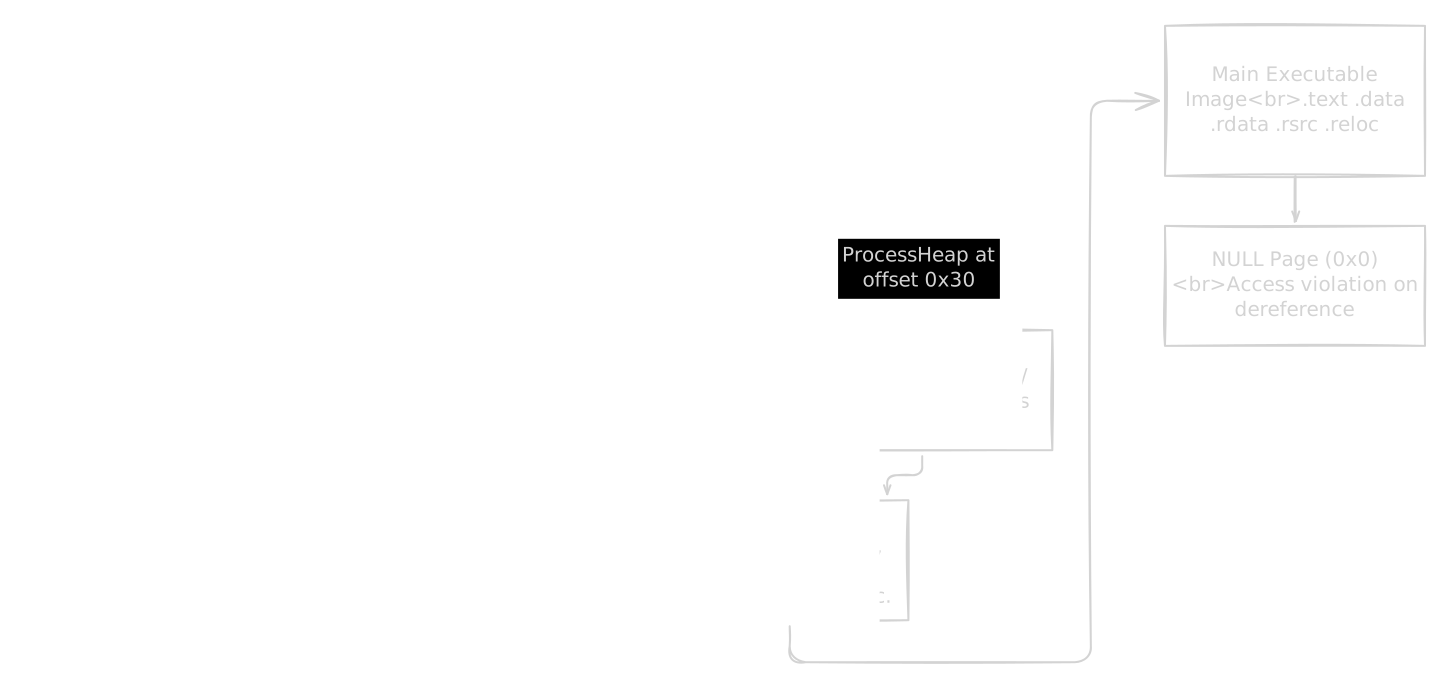
Process creation is worth understanding in detail because several injection techniques (process hollowing, early bird injection, process doppelgänging) intercept the creation sequence at specific points. When CreateProcessW is called, the kernel creates the process object, maps the executable image, creates the initial thread in a suspended state, notifies registered callbacks (including EDR kernel callbacks), the thread begins initialization (loading ntdll, then kernel32, then the rest of the import chain), and finally the entry point executes. Techniques like process hollowing operate between the "create suspended" and "resume" steps, replacing the mapped image before execution begins.
Virtual Memory
Every process believes it has its own flat, contiguous address space. This is an illusion maintained by the CPU's memory management unit (MMU) and the OS's page tables, which translate virtual addresses to physical addresses. Memory is managed in pages, typically 4KB each. Each page has permissions: read, write, execute, or combinations thereof. These permissions matter enormously for malware development. To execute code you have injected into another process, that memory must be marked executable. The API sequence VirtualAllocEx (allocate with read/write) followed by WriteProcessMemory (copy your code) followed by VirtualProtectEx (change permissions to read/execute) is the standard pattern, and each of those calls is a potential detection point.
Memory scanners look for pages with unusual permission combinations. A page that is simultaneously writable and executable (RWX) is suspicious in most legitimate software. Memory that transitions from RW to RX during execution is less suspicious (it is the normal pattern for JIT compilers) but still monitored. Understanding these permission states is essential for understanding both how injection works and how it gets caught.
// The naive approach: allocate RWX directly (suspicious)
LPVOID mem = VirtualAlloc(NULL, size, MEM_COMMIT | MEM_RESERVE, PAGE_EXECUTE_READWRITE);

// The better approach: allocate RW, write, then change to RX
LPVOID mem = VirtualAlloc(NULL, size, MEM_COMMIT | MEM_RESERVE, PAGE_READWRITE);
memcpy(mem, shellcode, size);

DWORD oldProtect;
VirtualProtect(mem, size, PAGE_EXECUTE_READ, &oldProtect);  // RW to RX
The second approach avoids ever having a page that is both writable and executable at the same time. This is a small detail with a meaningful impact on detection.
The Windows API Layers
There are three layers between your code and the kernel, and understanding them is critical because each layer is a hook point for defenders.
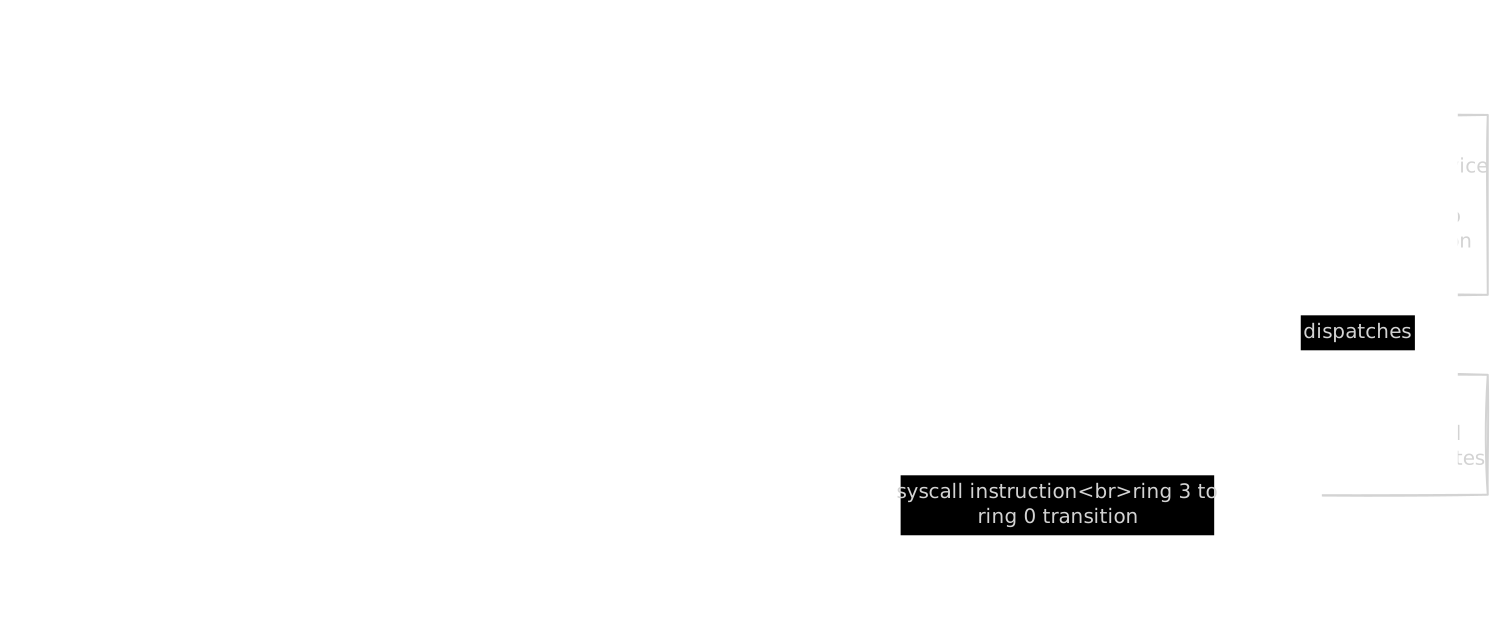
kernel32.dll is the "friendly" API. Functions like CreateFile, ReadFile, VirtualAlloc, and CreateRemoteThread live here. This is what MSDN documents, and what most programs use. These functions are wrappers that validate parameters, perform some preprocessing, and then call down to the next layer. ntdll.dll is the bridge between user mode and kernel mode. Every kernel32 function eventually calls an ntdll function: CreateFile calls NtCreateFile, VirtualAlloc calls NtAllocateVirtualMemory, and so on. EDR (Endpoint Detection and Response) products place their hooks here, because ntdll is the chokepoint through which all userland code must pass to reach the kernel. Syscalls are the actual boundary. The syscall instruction transfers execution from user mode (ring 3) to kernel mode (ring 0), and the System Service Descriptor Table (SSDT) routes the call to the appropriate kernel function. Syscall numbers change between Windows versions, which makes direct syscall techniques more complex but also potentially more evasive.
The implication for malware development is direct: if you call VirtualAllocEx through kernel32, your call passes through ntdll, where EDR is watching. If you call NtAllocateVirtualMemory through ntdll directly, you skip kernel32 but still hit the hooks. If you execute the syscall instruction yourself with the correct syscall number, you bypass ntdll entirely. Each layer of bypass adds complexity but reduces visibility to defenders.
Handles and Objects
Windows uses an object model for nearly everything: files, processes, threads, registry keys, mutexes, events, semaphores, and security tokens are all kernel objects. Your code accesses them through handles, which are integer sized indices into a per process handle table maintained by the kernel. A handle is not a pointer. It is not portable between processes. Handle value 0x1A4 in process A refers to a completely different object than handle 0x1A4 in process B. When you call OpenProcess to get a handle to another process, you must specify what access rights you need (PROCESS_VM_WRITE, PROCESS_VM_OPERATION, PROCESS_CREATE_THREAD, and so on), and the kernel checks whether your token has the privileges to obtain those rights.
// Opening a process handle with specific access rights
HANDLE hProcess = OpenProcess(
    PROCESS_VM_OPERATION |     // Required for VirtualAllocEx
    PROCESS_VM_WRITE |         // Required for WriteProcessMemory
    PROCESS_CREATE_THREAD,     // Required for CreateRemoteThread
    FALSE,                     // Do not inherit this handle
    targetPid                  // Target process ID
);
Each access right flag you request is visible to the kernel and to any security product monitoring handle creation. Requesting more rights than you need increases your detection surface. This matters because defenders monitor handle creation: opening a handle to LSASS (the Local Security Authority Subsystem Service, where credentials live) with PROCESS_VM_READ is one of the most monitored events in modern EDR.
Tokens and Privileges
An access token is the security context attached to a process or thread. It contains the SID (Security Identifier, which identifies the user), group memberships, and a list of privileges. Privileges are specific capabilities granted to the token: SeDebugPrivilege lets you interact with any process regardless of its security descriptor, SeImpersonatePrivilege lets you assume another user's identity, SeBackupPrivilege lets you read any file regardless of its ACL (Access Control List). Most injection and credential access techniques require specific privileges. Without SeDebugPrivilege, you cannot open a handle to a process running as a different user. Without SYSTEM level access, you cannot read LSASS memory. Understanding the token model tells you what you can do from a given security context and what you need to escalate to.
Integrity levels add another dimension: untrusted, low, medium, high, and system. Standard user processes run at medium integrity. Administrator processes run at high integrity. SYSTEM services run at system integrity. UAC (User Account Control) creates a split token: the user has both a standard token (medium integrity) and an elevated token (high integrity), and processes run with the standard token unless explicitly elevated.
The Registry
The Windows registry is a hierarchical database storing configuration for the OS, users, services, and applications. It is organized into hives: HKLM (machine wide settings), HKCU (current user settings), HKCR (class registrations, a merged view of HKLM and HKCU software classes), and others. Malware uses the registry for persistence (run keys that execute a program at logon, service registrations, COM object registrations), configuration storage (encrypted config blobs stored in registry values), disabling security features (modifying Defender settings, disabling AMSI), and hiding data (storing payloads in registry values where filesystem scanners will not look). Registry operations generate telemetry. Security products monitor specific keys (the Run keys, service registration keys, COM class registrations) intensively. Understanding which keys are watched and which are not is part of operational awareness.
Services and the SCM
Windows services are long running background processes managed by the Service Control Manager (SCM). They can be configured to start at boot, run under specific accounts (including SYSTEM), and restart automatically on failure. From a malware perspective, services serve as both persistence mechanisms (the service starts automatically) and execution mechanisms (the service runs your code with the configured privileges). Services can be implemented as standalone executables or as DLLs loaded by a shared svchost.exe process. The DLL based approach is common in both legitimate software and in malware: registering a "service DLL" under an existing or new svchost group lets your code run inside a legitimate Windows process. Scheduled tasks serve a similar dual purpose. The Task Scheduler infrastructure supports triggers (time based, event based, logon based), actions (execute a program, load a COM object), and principals (user context and privilege level). Tasks can be created programmatically through COM interfaces (ITaskService, ITaskFolder, ITaskDefinition) and are stored both in the filesystem (C:\Windows\System32\Tasks) and in the registry.
COM (Component Object Model)
COM is a binary standard for inter component communication. Objects are identified by CLSIDs (Class Identifiers), interfaces by IIDs (Interface Identifiers), and implementations are registered in the registry under HKCR\CLSID. You do not need to understand COM deeply for malware development, but you need to understand COM hijacking. When a process creates a COM object, Windows looks up the CLSID in the registry to find the DLL that implements it. The search order checks HKCU before HKLM. If a CLSID is registered in HKLM (system wide) but not in HKCU (per user), you can plant an HKCU entry pointing to your DLL. The next time any process creates that COM class, your DLL loads instead of the legitimate one. This requires no administrator privileges, works across reboots, and is subtle enough that many security products miss it.
The PE (Portable Executable) Format
Every Windows executable and DLL is a PE file. Every binary you write, inject, or analyze follows this format. Understanding the PE structure is not optional.
High Level Structure

A PE file begins with a DOS header, a legacy artifact from the transition to 32 bit Windows. The only field that matters is e_lfanew, a 4 byte value at offset 0x3C that points to the PE signature. Between the DOS header and the PE signature is the DOS stub, a small program that prints "This program cannot be run in DOS mode" if someone tries to run the binary under DOS. It is functionally irrelevant on modern systems but takes up space in every PE file.
After the PE signature (the bytes "PE\0\0") comes the COFF file header, which contains: the machine type (0x8664 for x64, 0x14C for x86), the number of sections, a timestamp (when the binary was compiled, though malware often fakes this), and characteristics flags (is it a DLL? is it executable?). The Optional Header follows (despite its name, it is not optional for executables). It contains the entry point RVA (Relative Virtual Address, the offset from the image base where execution begins), the preferred image base address, section alignment (how sections are aligned in memory versus on disk), the subsystem (console application versus GUI application), and the Data Directory array. The Data Directory is an array of 16 entries, each pointing to a specific structure: the import table, the export table, the resource table, the relocation table, the TLS table, the debug directory, and others. The Section Table lists every section in the binary. Common sections include .text (executable code), .data (initialized writable data), .rdata (read only data, including import and export tables), .rsrc (resources like icons, strings, and embedded files), and .reloc (relocation information for ASLR).
Imports and Exports
The Import Address Table (IAT) is how a PE file declares which external functions it needs. When the Windows loader maps a PE into memory, it reads the import directory, loads each required DLL, resolves each imported function's address, and writes those addresses into the IAT. At runtime, when your code calls CreateFileW, it actually calls through an indirect pointer in the IAT. This matters for both offense and defense. Defenders read the import table to infer what a binary is capable of. A binary that imports VirtualAllocEx, WriteProcessMemory, and CreateRemoteThread is advertising process injection capability before it ever executes. This is why malware commonly resolves functions dynamically at runtime using GetProcAddress (or even more covertly, by walking the PEB's module list and parsing export tables manually), keeping the static import table minimal and uninformative.
// Static import: function appears in the binary's import table
// Visible to any static analysis tool
CreateRemoteThread(hProcess, NULL, 0, pRemoteCode, NULL, 0, NULL);

// Dynamic resolution: function does NOT appear in the import table
// Only visible through behavioral analysis or code level reversing
typedef HANDLE (WINAPI *pCreateRemoteThread)(HANDLE, LPSECURITY_ATTRIBUTES,
    SIZE_T, LPTHREAD_START_ROUTINE, LPVOID, DWORD, LPDWORD);

pCreateRemoteThread fnCreateRemoteThread = (pCreateRemoteThread)
    GetProcAddress(GetModuleHandle("kernel32.dll"), "CreateRemoteThread");

fnCreateRemoteThread(hProcess, NULL, 0, pRemoteCode, NULL, 0, NULL);
Both lines of code do exactly the same thing at runtime. The difference is entirely about what is visible to someone who has not executed the binary yet. Exports work in the opposite direction: they are the functions a DLL makes available to other binaries. Understanding the export table structure matters for manual API resolution, since finding a function by walking a module's export table is the foundation of shellcode API resolution.
Relocations
When a PE is compiled, the linker assumes it will be loaded at a preferred base address (stored in the Optional Header). If the OS loads it at a different address (which ASLR guarantees on modern systems), every absolute address reference in the code needs to be adjusted. The relocation table (.reloc section) lists all these references so the loader can patch them. This becomes directly relevant when you implement reflective loading or manual mapping. If you load a DLL into arbitrary memory without using the OS loader, you must process the relocation table yourself, adding the delta (difference between preferred base and actual base) to every listed address. Skip this step and the loaded binary will crash on the first absolute address reference.
Resources
The resource section (.rsrc) stores embedded data: icons, version information, manifests, string tables, dialog templates, and arbitrary binary blobs. Malware frequently uses the resource section to embed encrypted payloads. At runtime, the malware calls FindResource, LoadResource, and LockResource to extract the blob, decrypts it, and executes it. This is a clean, legitimate API sequence. The resource is compiled into the binary at build time, and extracting it uses documented, stable APIs.
TLS Callbacks
Thread Local Storage callbacks are functions registered in the PE's TLS directory that execute before the entry point. They were designed for initializing thread local data, but malware uses them for a different purpose: running code before a debugger's default breakpoint at the entry point. If an analyst attaches a debugger and breaks at the entry point, TLS callbacks have already executed. Anti debug checks, environment fingerprinting, or even the primary payload can run in a TLS callback while the analyst waits at what they think is the beginning of execution.
Code Injection Techniques
Code injection is the practice of executing your code within the address space of another process. This is central to malware development because it provides the identity of the target process (its security token, its network connections, its reputation with security products), and it separates your code from the original binary on disk. The basic pattern that all injection follows: obtain a handle to the target process, allocate memory in the target, write your code into that memory, and trigger execution. The variations between techniques are about how each step is implemented and what artifacts each approach leaves behind.
Classic DLL Injection
The most straightforward technique. You allocate memory in the target process, write the file path of your DLL into that memory, and create a remote thread that calls LoadLibrary with that path as its argument. Since LoadLibrary is a function in kernel32.dll, and kernel32 is loaded at the same base address in every process within a session (due to ASLR applying per boot rather than per process for system DLLs), you can take the address of LoadLibrary from your own process and pass it to the target.
// Classic DLL injection
HANDLE hProcess = OpenProcess(PROCESS_ALL_ACCESS, FALSE, targetPid);

// Allocate space for the DLL path in the target process
LPVOID pRemotePath = VirtualAllocEx(hProcess, NULL, MAX_PATH,
    MEM_COMMIT | MEM_RESERVE, PAGE_READWRITE);

// Write the DLL path into the target's memory
char dllPath[] = "C:\\path\\to\\payload.dll";
WriteProcessMemory(hProcess, pRemotePath, dllPath, sizeof(dllPath), NULL);

// Get the address of LoadLibraryA (same in all processes)
LPVOID pLoadLibrary = (LPVOID)GetProcAddress(
    GetModuleHandle("kernel32.dll"), "LoadLibraryA");

// Create a thread in the target that calls LoadLibrary with our DLL path
HANDLE hThread = CreateRemoteThread(hProcess, NULL, 0,
    (LPTHREAD_START_ROUTINE)pLoadLibrary, pRemotePath, 0, NULL);

WaitForSingleObject(hThread, INFINITE);
CloseHandle(hThread);
CloseHandle(hProcess);
The advantages: it is simple to implement and understand. The disadvantages: the DLL must exist on disk (a file artifact), CreateRemoteThread is heavily monitored by EDR products, and the DLL appears in the target's loaded module list (visible in Process Explorer, the PEB's module list, and ETW DLL load events). Every step in this sequence generates telemetry.
Reflective DLL Injection
Classic injection's reliance on LoadLibrary means the DLL touches disk and appears in the module list. Reflective injection solves both problems by implementing a custom loader inside the DLL itself. Instead of writing a file path and calling LoadLibrary, you write the entire raw DLL contents into the target's memory. The DLL contains a special exported function (the reflective loader) that, when called, parses the PE headers of its own in memory image, maps sections to their correct virtual addresses, resolves imports by walking the PEB's module list and parsing export tables, processes relocations, registers exception handlers, and calls DllMain.
The DLL never touches disk. It never appears in the PEB's loaded module list (because it was never registered with the loader). It exists only as executable code in an allocated memory region. The cost is complexity: you are reimplementing a significant portion of the Windows PE loader. Section alignment, import resolution, relocation processing, TLS callback invocation, exception handler registration (SEH on x86, the .pdata directory on x64), and proper calling of DllMain with DLL_PROCESS_ATTACH all need to be handled correctly. Get any of it wrong and the target process crashes.
Process Hollowing (RunPE)
Process hollowing creates a legitimate process in a suspended state, replaces its executable image with your payload, and resumes it. The resulting process has the name, path, and parent process of the legitimate binary, but runs entirely different code. The API sequence: CreateProcess with the CREATE_SUSPENDED flag creates the process but does not let its main thread execute. NtUnmapViewOfSection removes the original executable image from the process's address space. VirtualAllocEx allocates memory at the image base address. WriteProcessMemory writes your payload (a full PE) into that space. SetThreadContext modifies the suspended thread's instruction pointer to point to your payload's entry point. ResumeThread starts execution.
The detection surface: creating a process suspended and then modifying its memory before resuming is not normal behavior. EDR products specifically look for this pattern. Memory scanning will reveal that the in memory image does not match the file on disk. But from a process listing perspective, the hollowed process looks legitimate.
APC Injection
APCs (Asynchronous Procedure Calls) are a Windows mechanism for queueing a function to execute in the context of a specific thread. When a thread enters an alertable wait state (by calling SleepEx, WaitForSingleObjectEx, or similar functions with the bAlertable parameter set to TRUE), any queued APCs execute before the wait function returns. The technique: open a handle to a thread in the target process, allocate and write your code into the target's memory, and call QueueUserAPC to queue your code's address as an APC on the target thread. The critical limitation: the target thread must enter an alertable wait for the APC to fire. This is not guaranteed for arbitrary threads. Some processes routinely enter alertable waits (services, GUI applications that use MsgWaitForMultipleObjectsEx), while others never do.
Early Bird Injection
Early bird injection combines suspended process creation with APC injection. You create a process in a suspended state, allocate and write your code, queue an APC to the main thread, and resume the process. The APC fires during the thread's initialization, before most EDR userland hooks are established in the new process. The timing advantage is the point: by executing during process initialization, your code may run before the EDR's DLL is loaded and its hooks are placed. This window is narrow and not guaranteed (kernel level callbacks still fire), but it can bypass some userland detection mechanisms.
Thread Hijacking
Instead of creating a new thread (which generates a thread creation event), you hijack an existing thread in the target process. Suspend the thread with SuspendThread, retrieve its register state with GetThreadContext, modify the instruction pointer (RIP on x64) to point to your code, resume with ResumeThread. Your code must save the original register state and restore it when finished, then jump back to the original instruction pointer. If you fail to restore the context correctly, the target process crashes. This makes the technique more fragile than other approaches, but it avoids the CreateRemoteThread event that many detection rules watch for.
Module Stomping
Module stomping (also called DLL hollowing) involves finding a legitimate DLL already loaded in the target process (or loading one that the process does not actually use), and overwriting its .text section with your payload. Your code lives inside a memory region that belongs to a legitimately loaded, signed module. Memory scanners that verify "does this executable page belong to a known module?" will see a valid module mapping. The executable memory is "backed" by a real file, which makes it look less suspicious than a standalone executable allocation. The caveat: you must choose a module the target does not actually call into, or your overwritten code will be invoked by legitimate code paths and crash the process.
Other Injection Techniques
Process Doppelgänging uses NTFS transactions to create a file, create a section from it, roll back the transaction (so the file never materializes on disk), and create a process from the section. The payload never exists as a persistent file. This technique relies on NTFS transaction APIs, which Microsoft has deprecated, and some EDR products specifically watch for this pattern. Process Herpaderping creates a file, creates a section from it, then modifies or overwrites the file before any security product inspects it. By the time the file content is examined, it no longer matches the code running in memory. Mapping Injection uses NtCreateSection and NtMapViewOfSection to create a shared memory region mapped into both your process and the target. You write to your view (which appears in the target because the memory is shared), then trigger execution in the target. This avoids WriteProcessMemory, which is a heavily monitored API.
Any of these techniques can be combined with direct or indirect syscalls to bypass userland hooks. The injection technique and the evasion technique are orthogonal choices that you combine based on your operational requirements.
| Technique | Disk Artifact | New Thread | Detection Difficulty |
|---|---|---|---|
| Classic DLL Injection | DLL on disk | Yes | Low (heavily signatured) |
| Reflective DLL Injection | None | Yes | Medium |
| Process Hollowing | None in target | No (reuses suspended) | Medium |
| APC Injection | None | No | Medium |
| Early Bird | None | No (reuses suspended) | Medium to High |
| Thread Hijacking | None | No | High |
| Module Stomping | None | Varies | High |
| Process Doppelgänging | Transacted (rolled back) | No | High |
| Mapping Injection | None | Varies | High |
Shellcode
What Shellcode Is
Shellcode is position independent machine code: raw bytes that perform a self contained task and can execute correctly regardless of where in memory they are placed. The name originates from exploitation, where the payload's job was to spawn a command shell, but the term now refers to any PIC (Position Independent Code) payload. Shellcode exists as a concept because of a fundamental constraint: when you inject code into another process's memory, you often do not control where it will be loaded. A DLL has an import table, a relocation table, and a loader that handles fixups. Shellcode has none of those. It must work at any address, resolve its own dependencies, and carry everything it needs.
Position Independent Code
The core constraint is simple: no absolute addresses. Every data reference must be relative to the current instruction pointer or computed at runtime. No global variables in the traditional sense. Everything goes on the stack or is accessed through calculated offsets. On x64, RIP relative addressing makes this relatively straightforward. The LEA instruction can load the address of any data relative to the current instruction pointer. On x86, there is no direct equivalent. The classic workaround is the call/pop technique: a CALL instruction pushes the address of the next instruction onto the stack, and a POP immediately retrieves it, giving you a reference point from which all other addresses can be calculated.
Resolving APIs at Runtime
Shellcode cannot use an import table. It needs to find function addresses entirely on its own. The standard approach is PEB walking: accessing the PEB through the TEB, navigating the PEB_LDR_DATA structure to find the InMemoryOrderModuleList (a doubly linked list of all loaded modules), walking that list to find kernel32.dll (or ntdll.dll), and then parsing the found module's export table to locate specific functions.
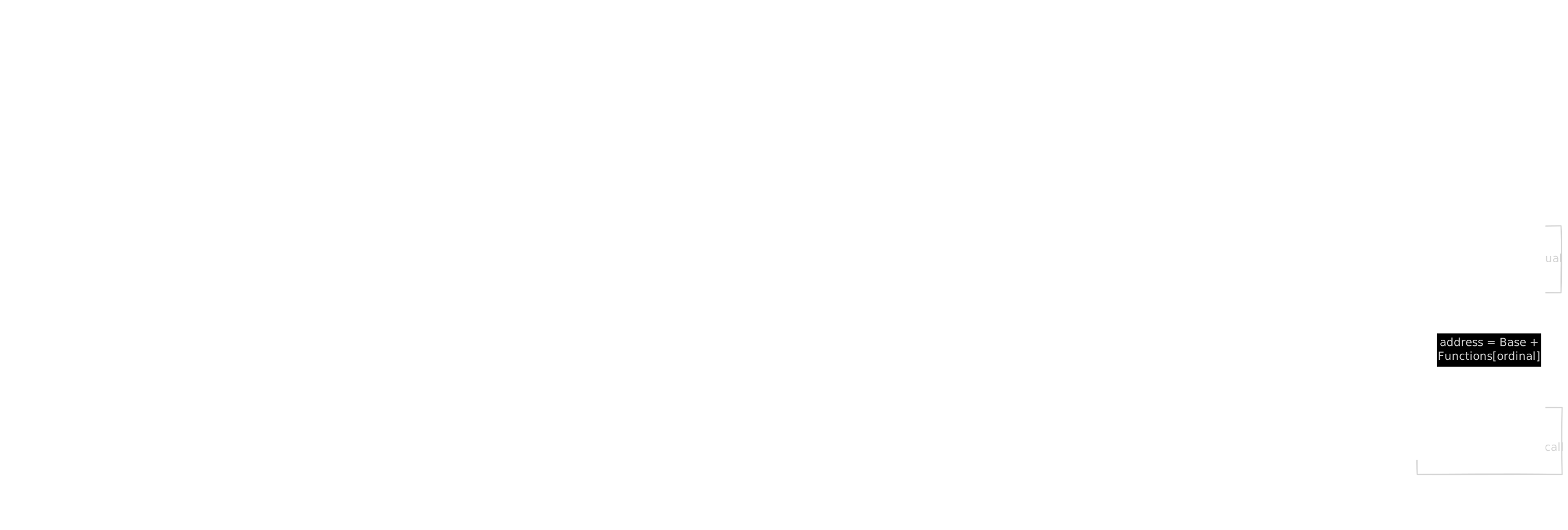
To avoid storing full function name strings in the shellcode (which increases size and is visible to string scanners), a hash of each function name is typically precomputed. The shellcode hashes each export name in the target module's export table and compares against the precomputed hash. The most common hash algorithm in public shellcode is ROR13 (rotate right by 13 bits, then add the next character), popularized by Metasploit.
// ROR13 hash function used for API resolution
// Precompute these for the functions you need
uint32_t ror13_hash(const char *name) {
    uint32_t hash = 0;
    while (*name) {
        hash = (hash >> 13) | (hash << 19);  // Rotate right 13
        hash += *name;
        name++;
    }
    return hash;
}
Encoding and Encryption
Raw shellcode often contains null bytes (which terminate strings in C, breaking string based injection vectors) and byte patterns that antivirus signatures recognize. Encoding transforms the shellcode into a form that avoids these problems. XOR encoding is the simplest: each byte of the payload is XORed with a key. A decoder stub prepended to the payload reverses the XOR at runtime. The stub itself must be null free and avoid whatever bytes the encoding was designed to eliminate. More sophisticated approaches use multi byte XOR keys, rolling keys (where the key changes with each byte), or AES encryption with a decryption stub. Each layer of encoding increases the size of the decoder stub but makes static detection harder. The tradeoff is that the decoder stub itself becomes a signaturable pattern.
Shellcode Loaders
A shellcode loader is the code that receives shellcode and executes it. The minimal loader is five lines of C: allocate memory with read/write permissions, copy the shellcode, change permissions to read/execute (avoiding an RWX allocation), and call the shellcode through a function pointer cast. More evasive loaders avoid the obvious function pointer call by using callback functions. Many Windows APIs accept callback function pointers: EnumWindows, EnumChildWindows, CreateTimerQueueTimer, EnumSystemLocalesA, and others. By passing the shellcode's address as the callback, you trigger execution through a legitimate API call rather than a suspicious direct jump to allocated memory.
// Callback based execution via EnumSystemLocalesA
// Less suspicious than a direct function pointer call
EnumSystemLocalesA((LOCALE_ENUMPROCA)mem, 0);
The API calls EnumSystemLocalesA internally, which calls your callback (which happens to be shellcode). From a call stack perspective, the shellcode was invoked by a legitimate Windows API.
Persistence Mechanisms
Persistence is how malware survives reboots and user logoffs. Without persistence, the malware runs until the process terminates or the machine restarts, and then it is gone. Each persistence mechanism involves writing something (a registry key, a file, a scheduled task, a service registration) that causes the OS to re execute the malware at a future point. Every persistence mechanism is also a detection surface. The more common the mechanism, the more heavily it is monitored.
Registry Based Persistence
The Run keys (HKCU\Software\Microsoft\Windows\CurrentVersion\Run and the equivalent under HKLM) are the simplest persistence mechanism. Any value in these keys specifies a program that Windows executes at user logon. They are also the most heavily monitored: every EDR product, every threat hunting playbook, and every incident response checklist includes Run key inspection.
Other registry based mechanisms include Winlogon keys, where the Shell and Userinit values under HKLM\SOFTWARE\Microsoft\Windows NT\CurrentVersion\Winlogon specify programs that run during the logon process; Image File Execution Options (IFEO), originally designed for attaching debuggers to specific executables, which allows you to specify a "debugger" for any named binary that runs instead of or in addition to the target; and AppInit_DLLs, a registry value that specifies DLLs to be loaded into every process that loads user32.dll, which is disabled by default on modern Windows and requires Secure Boot to be disabled but is still functional if the registry value is set and LoadAppInit_DLLs is enabled.
Scheduled Tasks
Scheduled tasks are more flexible than registry Run keys. You can specify complex triggers (time based, event based, logon based, idle based), run under specific user accounts, and configure restart behavior. Tasks are created programmatically through COM interfaces and are stored in both the filesystem (C:\Windows\System32\Tasks as XML files) and the registry (HKLM\SOFTWARE\Microsoft\Windows NT\CurrentVersion\Schedule\TaskCache). Inconsistencies between these two locations (a task registered in one but not the other) have been used for evasion, though modern forensic tools check both. Detection: Task Scheduler logs task creation (Event ID 106), task updates (Event ID 140), and task deletions (Event ID 141) in the Microsoft Windows TaskScheduler event log.
Services
Creating a Windows service gives you execution at boot with potentially SYSTEM level privileges. Services are registered through the SCM and stored in the registry under HKLM\SYSTEM\CurrentControlSet\Services. Service DLLs (as opposed to service executables) are particularly interesting. You register a DLL under a svchost.exe service group, and svchost loads and calls your DLL's ServiceMain function. Your code runs inside a legitimate Windows process (svchost.exe), which provides process level camouflage. Detection: new service creation generates System Event ID 7045. The CurrentControlSet\Services registry hive is monitored by most security products. But the sheer number of legitimate services on a Windows system means that a well named service with a plausible description can be overlooked during manual triage.
COM Hijacking
As described in the COM section above, COM hijacking exploits the registry search order for COM class implementations. You plant an HKCU registry entry for a CLSID that is normally registered only in HKLM. The next time any process creates that COM class, your DLL loads instead of the legitimate one. Finding hijackable CLSIDs is a research exercise: run Process Monitor (Procmon), filter for RegOpenKey operations on CLSID paths that return NAME NOT FOUND under HKCU, and you have a list of COM classes that can be hijacked without admin privileges. The beauty of this technique is subtlety. Your DLL loads through a legitimate COM instantiation path. The process that loads it did so through normal API calls. Unless someone specifically audits COM class registrations in HKCU, the hijack is invisible.
DLL Search Order Hijacking and Side Loading
When a process loads a DLL without specifying a full path, Windows searches a documented set of directories in order: the application's directory, the system directory, the Windows directory, the current directory, and directories in the PATH environment variable. DLL hijacking places a malicious DLL earlier in the search order than the legitimate one. DLL side loading is a specific variant: you find a signed, legitimate application that loads a specific DLL, place your DLL with that name in the same directory as the legitimate application, and run the application. The signed binary loads your DLL as part of its normal initialization. This is popular with APT groups because the execution chain appears clean: a signed, legitimate application loads what appears to be its own dependency. Security products that whitelist signed binaries may not inspect the loaded DLL.
WMI Event Subscriptions
WMI (Windows Management Instrumentation) supports persistent event subscriptions: a combination of an event filter (what to watch for), an event consumer (what to do when the event fires), and a binding between them. The classic pattern: an __EventFilter watches for a recurring event (a timer, a process start, a system boot), bound to a CommandLineEventConsumer that executes your payload. The subscription is stored in the WMI repository (C:\Windows\System32\wbem\Repository\OBJECTS.DATA), not as a standalone file or an obvious registry key, making it less visible than file based or registry based persistence. Detection: the WMI Activity event log records subscription creation. Direct inspection of the WMI repository with tools like Get-WmiObject (PowerShell) or specialized forensic tools reveals active subscriptions. But WMI persistence is often missed in manual triage because analysts do not routinely check the WMI repository.
Other Mechanisms
Startup folder: placing a shortcut (.lnk) or executable in %APPDATA%\Microsoft\Windows\Start Menu\Programs\Startup runs it at logon. The simplest persistence mechanism, often overlooked precisely because it is so basic. Group Policy scripts: logon and logoff scripts configured through Group Policy run for every user in the policy's scope. In a domain environment, this provides network wide persistence. Office startup locations: Word's STARTUP folder, Excel's XLSTART directory, and Outlook add in registrations provide persistence that triggers when the user opens a specific application. Accessibility features: replacing sethc.exe (Sticky Keys, triggered by pressing Shift five times) or utilman.exe (Utility Manager, accessible from the login screen) with cmd.exe provides pre authentication command execution. This is crude but effective for maintaining access even when the original account credentials are changed.
Evasion and Defense Bypass
This section separates "malware that works in a lab" from "malware that works in a defended environment." Every concept here is about understanding a defensive mechanism well enough to work around it. You cannot evade what you do not understand.
Understanding the Detection Surface
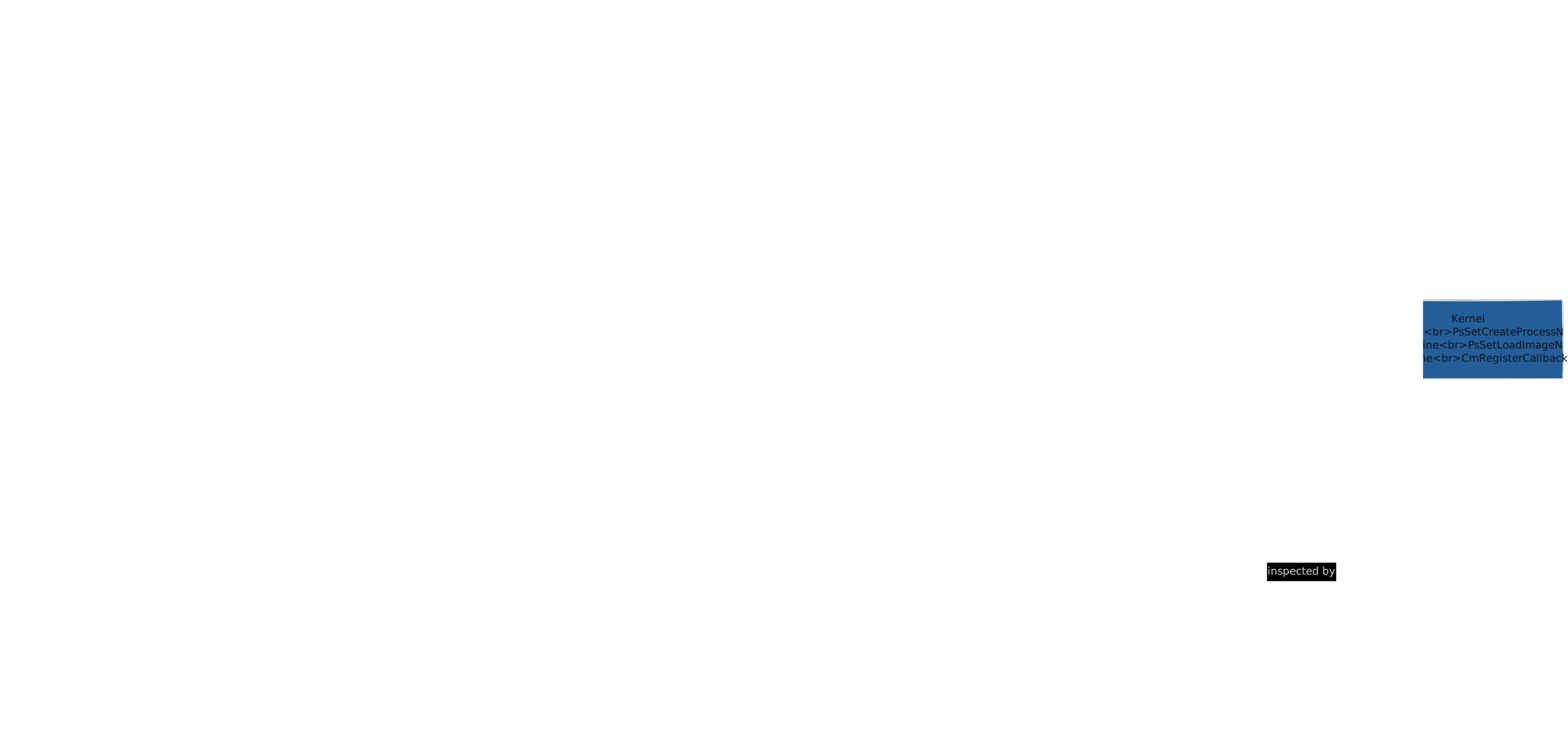
Before trying to evade anything, understand what defenders look for. The detection surface has three layers. Static indicators: file hashes (MD5, SHA256), byte patterns (YARA signatures), import tables, strings, PE header anomalies, entropy profiles. These are checked before the binary executes. Behavioral indicators: API call sequences (VirtualAllocEx followed by WriteProcessMemory followed by CreateRemoteThread is a textbook injection pattern), process relationships (why did notepad.exe spawn powershell.exe?), network patterns (periodic HTTP requests to an uncategorized domain), file and registry modifications. In memory indicators: unbacked executable pages (executable memory that is not mapped to a file on disk), hooked API trampolines (modified ntdll function prologues), suspicious call stacks (a sleeping thread whose stack frames do not trace back to a known module), injected threads. Defenders can instrument all three layers simultaneously. Evading one layer while being caught by another is a failure.
How EDR Hooks Work
Most EDR products work by hooking functions in ntdll.dll. They replace the first few bytes of critical functions (NtAllocateVirtualMemory, NtWriteVirtualMemory, NtCreateThreadEx, and others) with a JMP instruction that redirects execution to the EDR's own inspection code. When your process calls NtAllocateVirtualMemory, execution hits the hook instead. The EDR's code inspects the arguments (how much memory? what permissions? in which process?), applies its detection logic, and either allows the call to proceed (by executing the original instructions it displaced) or blocks it.
; Original NtAllocateVirtualMemory (unhooked):
mov r10, rcx
mov eax, 0x18            ; Syscall number for NtAllocateVirtualMemory
syscall
ret

; Hooked by EDR:
jmp 0x00007FFA12345678   ; Jump to EDR inspection code
; (original bytes are saved by the EDR and executed after inspection)
The first five or more bytes of the function are overwritten with a JMP. The EDR saves the original bytes and executes them after its inspection is complete, so the function still works correctly, just with an additional inspection step inserted in the middle.
Unhooking Techniques
If EDR hooks are patches applied to ntdll in your process's memory, you can reverse those patches. The most common approach: read a fresh, unhooked copy of ntdll.dll from disk (C:\Windows\System32\ntdll.dll), find the .text section (where the function code lives), and copy the clean bytes over the hooked .text section in your process's memory. After this, all ntdll functions in your process are restored to their original, unhooked state. API calls proceed directly to the syscall instruction without passing through EDR inspection. An alternative avoids touching the filesystem entirely: map a fresh copy from \KnownDlls\ntdll.dll (a kernel object directory containing pre mapped system DLLs) using NtOpenSection and NtMapViewOfSection.
Direct and Indirect Syscalls
Instead of unhooking ntdll, you can bypass it entirely by executing the syscall instruction yourself. Build the syscall stub in your own code: load the syscall number into EAX, set up arguments per the calling convention, and execute syscall. The problem: syscall numbers change between Windows versions. NtAllocateVirtualMemory might be syscall number 0x18 on one build and 0x19 on another. You need to resolve the correct number at runtime, typically by reading it from ntdll's own stubs (even if the first bytes are hooked, the syscall number is usually preserved a few bytes in) or by maintaining a version specific lookup table.
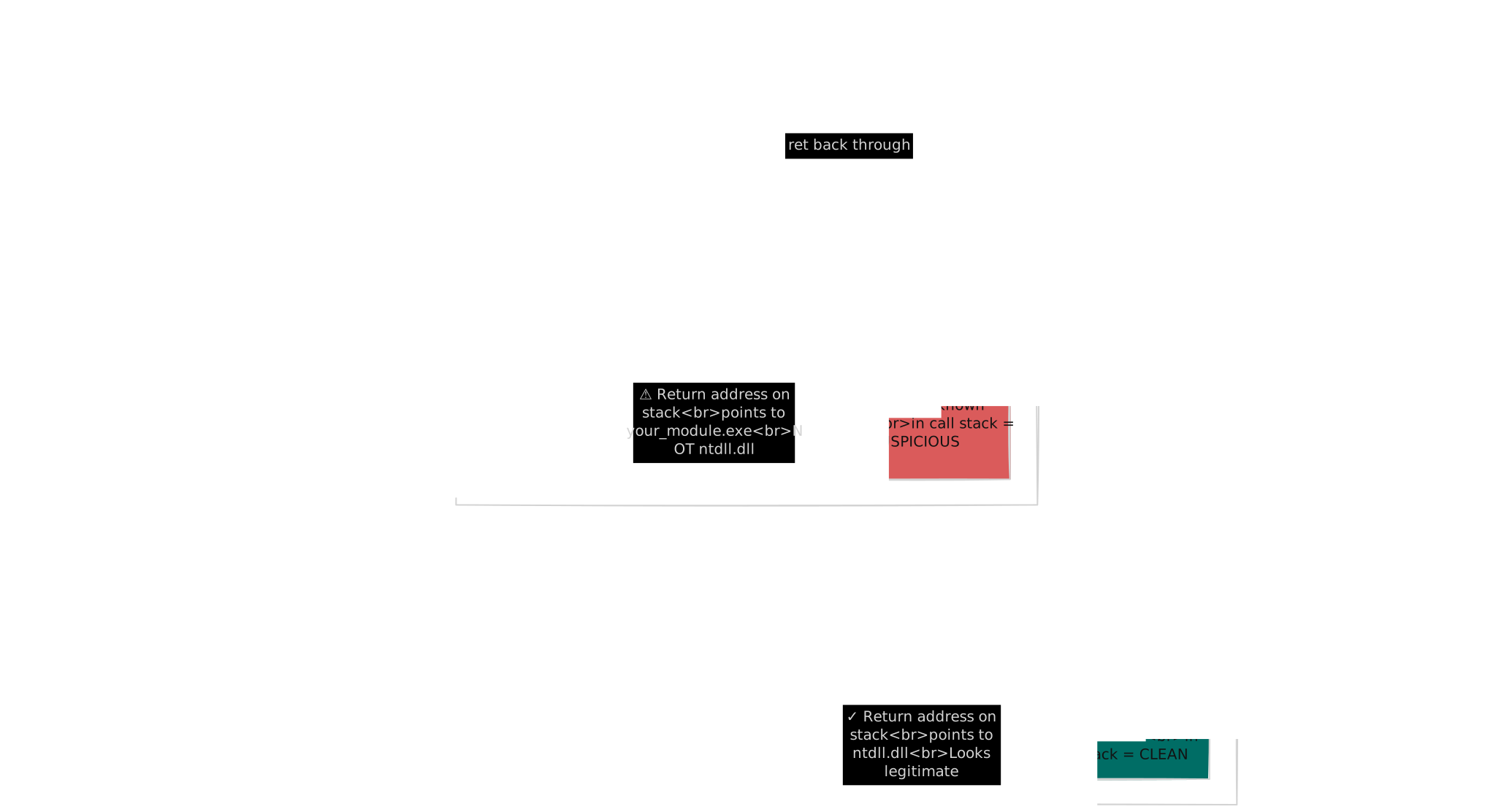
Direct syscalls execute the syscall instruction from your own module's code. This works, but the return address on the call stack points to your module rather than ntdll, which is anomalous. Call stack inspection by EDR products can detect this: "why is a syscall being executed from an address in an unknown module?" Indirect syscalls solve this by finding the syscall instruction inside ntdll's own code and jumping to it. Your code sets up the registers, then JMPs to the syscall; ret gadget in ntdll. The return address on the stack now points to ntdll, which looks legitimate.
ETW Evasion
ETW (Event Tracing for Windows) is the kernel level telemetry framework that underpins most Windows security monitoring. Providers generate events, controllers enable or disable them, and consumers (including EDR products) process them. For malware, the most relevant userland ETW function is EtwEventWrite in ntdll. Every time your process generates an ETW event (and many API calls generate events internally), this function is called. Patching it to return immediately (return STATUS_SUCCESS without doing anything) prevents your process from generating ETW events. This is effective against userland ETW providers. The Microsoft-Windows-Threat-Intelligence provider, however, operates in kernel mode and cannot be blinded from userland. Kernel level telemetry continues regardless of userland patches.
AMSI Bypass
AMSI (Antimalware Scan Interface) is a Windows feature that allows applications to submit content to the installed antimalware product for scanning. PowerShell, .NET, VBScript, JScript, and Office VBA all integrate with AMSI. Before executing a script or loading a .NET assembly, the host application calls AmsiScanBuffer (in amsi.dll) with the content, and the AV provider returns a verdict. The most common bypass patches AmsiScanBuffer to return AMSI_RESULT_CLEAN regardless of content. This is done by writing a short instruction sequence at the start of the function that sets EAX to an error code (E_INVALIDARG) and returns immediately, causing AMSI to report the scan as failed or clean. This approach patches the function in your own process's copy of amsi.dll. It does not affect other processes.
Sleep Obfuscation
When an implant sleeps between C2 check ins (which is most of its lifetime), its code sits in memory in a scannable state. Memory scanners can find recognizable byte patterns, strings, or signatures in the sleeping implant's memory. Sleep obfuscation addresses this: before sleeping, the implant encrypts its own memory regions (the executable code and data sections). A timer, APC, or other callback mechanism is configured to fire after the sleep interval, decrypt the memory, and resume execution. The encrypt/sleep/decrypt cycle means that during the sleep period (when the implant is most likely to be scanned), the memory contains ciphertext rather than recognizable code patterns. Implementations like Ekko, Foliage, and Cronos use different mechanisms to manage this cycle. Some use ROP (Return Oriented Programming) chains built from legitimate ntdll gadgets to perform the encryption and decryption, so even the crypto operations have clean looking call stacks.
Stack Spoofing
Related to sleep obfuscation: when a thread is sleeping, its call stack is inspectable. A thread whose stack frames trace back to an unknown memory region (rather than to ntdll or kernel32) is suspicious. Stack spoofing manipulates the call stack frames so that the return addresses point to legitimate code, making the sleeping thread's stack look like a normal thread waiting in a legitimate API call.
Sandbox and Analysis Environment Detection
Malware often checks whether it is running in a sandbox, virtual machine, or analyst's environment before executing its payload. Timing checks: sleep for a measured duration, then verify the system clock advanced by the expected amount. Sandboxes often accelerate sleep calls to speed up analysis. If 10 minutes of sleep completed in 2 seconds of wall clock time, you are being accelerated. User artifact checks: real workstations have browser history, documents, desktop shortcuts, and installed applications. A clean VM has none of these. Hardware checks: VM specific hardware identifiers (VMware's MAC address prefix 00:0C:29, VirtualBox's BIOS strings), CPUID instruction responses that differ between physical and virtual CPUs, and disk size (analysis VMs often have smaller disks than production machines). Process checks: running analysis tools (Procmon, Wireshark, x64dbg, IDA, Process Explorer) indicate an analyst's machine.
Command and Control
Command and Control (C2) is the communication channel between the implant running on the target and the operator running the campaign. Without C2, malware is autonomous but uncontrollable: it executes its hardcoded behavior and you cannot adapt. C2 transforms a static payload into a remotely operable tool. The basic loop: the implant checks in with the C2 server (a "beacon"), receives tasking (commands to execute), performs the tasked operations, and returns results. Then it sleeps for a configured interval and repeats.
Communication Protocols
HTTP/HTTPS is the most common C2 channel because it blends with normal web traffic. Every corporate network allows outbound HTTPS. The implant makes HTTP requests to the C2 server, and the server responds with commands encoded in the response body. Headers, URI paths, cookies, and body formats can be customized to mimic legitimate web applications. DNS tunneling uses DNS queries and responses to carry data. The implant encodes data in DNS queries (typically as subdomains of an attacker controlled domain), and the C2 server responds with data encoded in DNS records (A records, TXT records, CNAME records). DNS tunneling is slow (limited by query size and response latency) but extremely difficult to block because DNS is almost always allowed through corporate firewalls. SMB named pipes provide an internal communication channel within a network. One implant listens on a named pipe, and another connects to it. No internet facing traffic is generated, which makes it suitable for lateral movement scenarios where internal only communication is needed. Legitimate service abuse: some C2 frameworks support communication through Slack, Discord, Telegram bots, Google Sheets, cloud storage APIs, or other legitimate services. These channels are difficult to block because the organization uses them for legitimate purposes.
Beaconing and Jitter
The check in pattern is called beaconing: sleep for an interval, contact the server, process commands, sleep again. The interval is a security decision. Short intervals (seconds) provide rapid response but generate noticeable, periodic network traffic. Long intervals (hours) are stealthy but slow to operate. Jitter randomizes the interval to avoid a perfectly periodic pattern. A 60 second interval with 20% jitter means the actual interval varies between 48 and 72 seconds. Perfectly periodic network requests are trivially detectable by network monitoring tools that look for regularity.
Traffic Shaping and Malleable Profiles
The raw C2 protocol (command IDs, encrypted blobs, and response codes) looks nothing like legitimate web traffic. Malleable profiles (popularized by Cobalt Strike) configure the implant to wrap its C2 data inside traffic that mimics a specific legitimate application. The profile controls HTTP methods, URI paths, headers, cookies, and body encoding. A well configured profile makes the C2 traffic appear as Google Analytics beacons, Microsoft update checks, or CDN image requests. Network defenders who inspect traffic for anomalies see what looks like normal web activity.
Infrastructure
The C2 server should never be directly exposed to the target network. Redirectors (simple forwarding servers: an Apache or Nginx instance with rewrite rules) sit between the target and the actual team server. If defenders identify the C2 destination, they find a disposable VPS, not your operator infrastructure. Domain selection matters. Newly registered domains, domains without categorization, and domains using unusual TLDs are more likely to trigger security alerts. Using domains that are categorized as legitimate business or technology sites by corporate web proxies reduces scrutiny.
Payload Delivery
Delivery Vectors
The payload has to reach the target somehow. Common vectors include phishing attachments (documents, archives, disk images, shortcut files), HTML smuggling (JavaScript in an HTML page that assembles and offers a payload for download in the browser, bypassing email gateway scanning because the attachment is an HTML file rather than a binary), and supply chain compromise (intercepting a legitimate software update mechanism).
Document Based Delivery
Office macro documents (VBA code that runs when the document is opened and macros are enabled) were the dominant delivery mechanism for years. Microsoft has progressively restricted macros: documents from the internet now have macros blocked by default (Mark of the Web, or MOTW, triggers the restriction). Template injection is a variation: the document itself contains no macro code, but it loads a remote template (from an attacker controlled server) that does. The initial document passes static analysis because it is clean. The macro is only retrieved when the document is opened. After Microsoft tightened macro restrictions, attackers shifted to other document based vectors: OneNote files with embedded executables, and PDF files with embedded links or scripts.
Container Based Delivery
ISO and IMG files (disk images) were heavily used after macro restrictions increased, because files inside a mounted disk image did not inherit the MOTW flag from the download, bypassing SmartScreen and macro blocking. Microsoft patched this (MOTW now propagates into ISO contents), but the technique is historically important and illustrates how delivery methods evolve in response to defensive changes. LNK files (Windows shortcuts) can specify arbitrary command line execution. A shortcut that runs powershell.exe with an encoded command looks like a benign file to a non technical user.
Staged Delivery
Rather than delivering the full implant directly, staged delivery uses a small initial payload (stage 0) whose only purpose is to download and execute the real implant. The stage 0 is small (less to scan), disposable (can be changed frequently), and the real implant never touches disk (it is downloaded and executed in memory).
Delayed Execution and Environmental Keying
Delayed fuses prevent the payload from executing immediately. The payload might wait for a specific date, wait for user activity (mouse movement, keystrokes), or wait for a reboot. The purpose is to outlast sandbox detonation windows: most automated sandboxes analyze a sample for 2 to 5 minutes. A payload that sleeps for 15 minutes executes after the sandbox has already rendered its verdict. Anti sandbox timing verification checks whether the sleep actually took the expected wall clock time. If the malware sleeps for 10 minutes but the system clock only advanced by 5 seconds, the sleep was accelerated (a sandbox technique), and the malware exits without executing its payload.
Credential Access
LSASS and Credential Dumping
LSASS (Local Security Authority Subsystem Service) handles authentication for the Windows system. Its process memory contains NTLM password hashes, Kerberos tickets, and (under certain configurations) plaintext passwords for active sessions. Reading LSASS memory to extract these credentials is one of the most impactful post compromise techniques and one of the most heavily defended. Credential Guard (available in Enterprise editions) isolates LSASS credentials in a virtualization based security container that even kernel level code cannot access. PPL (Protected Process Light) for LSASS prevents non protected processes from opening handles to it. EDR products monitor LSASS access with extreme sensitivity.
Kerberos Attacks
In Active Directory environments, Kerberos authentication uses tickets rather than transmitting passwords. Two attack concepts are worth understanding at a high level. Kerberoasting: any domain user can request a TGS (Ticket Granting Service) ticket for any service with an SPN (Service Principal Name). The ticket is encrypted with the service account's password hash. If the service account has a weak password, the ticket can be cracked offline without ever touching the service or generating a failed authentication event. AS REP Roasting: accounts configured without Kerberos pre authentication enabled will return an encrypted AS REP (Authentication Service Reply) in response to any authentication request. Like Kerberoasting, this can be cracked offline. Both techniques are valuable because they produce crackable material without generating the kind of noise that brute force authentication attempts create.
Browser and Application Credentials
Browsers store credentials in predictable locations. Chrome uses an SQLite database (Login Data in the user's profile directory) with passwords encrypted via DPAPI (Data Protection API). DPAPI encryption is tied to the user's Windows login credential: code running as the user can call CryptUnprotectData to decrypt the passwords without knowing the master password. Firefox uses its own credential storage system based on NSS (Network Security Services), with a separate encryption model. Other applications store credentials in similarly predictable locations: RDP saved credentials (managed by Credential Manager), SSH keys (%USERPROFILE%\.ssh), VPN configuration files, database connection strings in application config files.
Keylogging
Keylogging captures user input in real time. Techniques operate at different levels. SetWindowsHookEx with WH_KEYBOARD_LL installs a system wide keyboard hook where every keystroke in any application is sent to your callback function. This is the most common approach and is well understood by defenders. The Raw Input API (RegisterRawInputDevices) registers to receive raw keyboard input and is less commonly monitored. GetAsyncKeyState polling repeatedly checks the state of each key in a loop, which is simple but CPU intensive and less efficient than hook based approaches.
Lateral Movement
Lateral movement is the practice of moving from one compromised system to additional systems in the network, using harvested credentials, tokens, or tickets to authenticate. PsExec style execution: connect to a remote machine over SMB, create a service that runs your payload, start the service. The payload executes with the service's configured privileges (often SYSTEM). WMI execution: use WMI's Win32_Process.Create method to start a process on a remote machine. Requires administrative credentials on the target. WinRM / PowerShell Remoting: execute commands on a remote machine through the WinRM protocol. This is legitimate remote administration functionality repurposed for lateral movement. Pass the Hash / Pass the Ticket: use an NTLM hash or Kerberos ticket directly for authentication, without needing the plaintext password. The Windows authentication protocol accepts the hash or ticket as proof of identity.
Each technique leaves distinct artifacts on both the source and destination hosts. Understanding those artifacts (which event logs record the activity, which network protocols are used, what processes are created) matters for both the attacker (choosing the least detectable technique) and the defender (building detection rules).
MITRE ATT&CK Mapping
Every technique in this chapter maps to the MITRE ATT&CK framework, which is the security industry's shared taxonomy for adversary behavior. Speaking ATT&CK gives your writing immediate relevance to anyone building detections.
| Topic | ATT&CK Tactic | ATT&CK Technique |
|---|---|---|
| DLL Injection | Defense Evasion, Privilege Escalation | T1055.001 |
| Process Hollowing | Defense Evasion | T1055.012 |
| Shellcode / Reflective Loading | Defense Evasion | T1620 |
| Registry Run Keys | Persistence | T1547.001 |
| Scheduled Tasks | Persistence, Execution | T1053.005 |
| Services | Persistence, Privilege Escalation | T1543.003 |
| COM Hijacking | Persistence | T1546.015 |
| DLL Side Loading | Defense Evasion | T1574.002 |
| Direct Syscalls | Defense Evasion | T1106 |
| AMSI Bypass | Defense Evasion | T1562.001 |
| HTTP C2 | Command and Control | T1071.001 |
| DNS Tunneling | Command and Control | T1071.004 |
| LSASS Credential Dumping | Credential Access | T1003.001 |
| Kerberoasting | Credential Access | T1558.003 |
Lab Environment Setup
Architecture
You need a hypervisor (VirtualBox is free, VMware Workstation is the professional standard for security labs), a target VM (Windows 10 or 11 with Defender disabled or configured with exclusions for your development directories), and an analysis VM (a second VM configured for monitoring and detection testing). Isolation is the primary concern: the analysis VMs must not have uncontrolled network access, and malware running inside the VM must not be able to reach your host machine or production network. Use host only or internal virtual networking. Do not route to the internet unless you intentionally add a path for specific tests, and even then route through a monitoring VM that captures all traffic.
Development Tooling
Visual Studio with the C/C++ workload is the standard for Windows development. Install the Windows SDK, and optionally the WDK (Windows Driver Kit) if you plan to explore kernel mode development. MinGW/MSYS2 provides a GCC based alternative. NASM or MASM for assembly. The Rust toolchain (rustup) if you go that route. For cross compilation from Linux: MinGW w64 provides a GCC cross compiler targeting Windows.
Testing Against Defenses
The goal of a lab is not to develop in a vacuum. It is to understand your detection surface. Install Sysmon on the analysis VM with a verbose configuration (SwiftOnSecurity's sysmon config is a widely used starting point). After writing a technique, run it and check: what events did Sysmon log? What did Procmon capture? What would a YARA rule need to look like to catch this binary? What does the network traffic look like in Wireshark? Optionally install an open source EDR stack (Elastic Security, Wazuh) to test what telemetry your code generates. Understanding what your code looks like to defenders is as important as making it work.
Recommended Reading and Resources
Books: Windows Internals by Mark Russinovich, David Solomon, and Alex Ionescu is the definitive reference on Windows OS internals. Practical Malware Analysis by Michael Sikorski and Andrew Honig is the standard introductory text for malware analysis. The Art of Memory Forensics by Michael Hale Ligh et al. covers memory forensics comprehensively. Online Resources: MalDev Academy offers structured malware development courses. Sektor7 provides red team operator courses covering malware development. OffSec courses (PEN 300/OSED) cover Windows exploit development. ired.team hosts red team notes and technique documentation. Elastic Security Labs blog publishes detection research and malware analysis. MDSec blog covers offensive security research. vxunderground maintains a malware papers, samples, and research archive. Conferences: DEF CON, Black Hat, OffensiveCon, and x33fcon regularly feature talks on malware development, evasion techniques, and detection research. Talk recordings are available online and are some of the best educational material in the field.